A mobile AED inspection app that runs in the browser
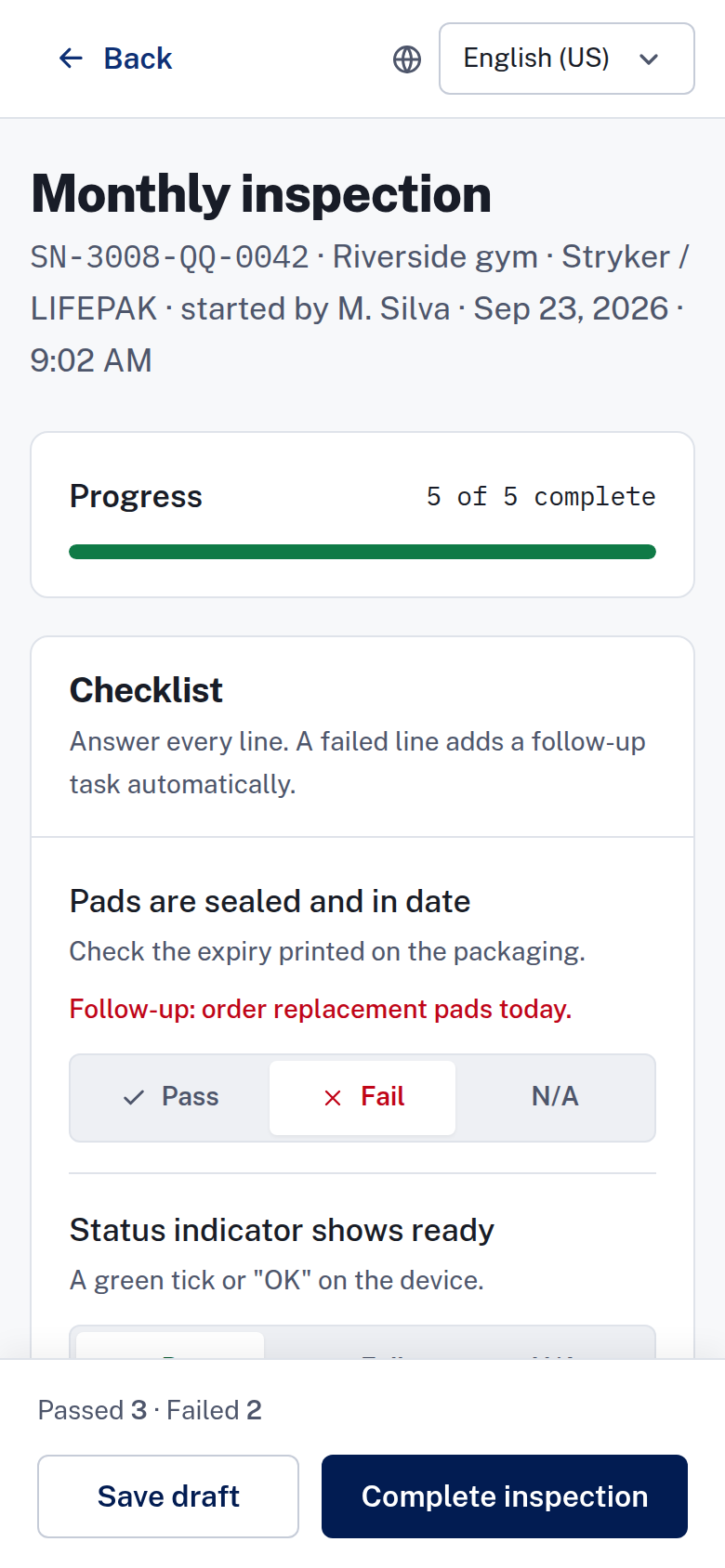
Five checklist lines on a phone. The answers, the inspector and the follow-up work join the device record.
You manage the AED (automated external defibrillator) program, and your team inspects the units. ReadyAED's mobile AED inspection app runs in the browser on the phone an inspector already carries, so there is nothing to install. The result lands on the device record, with the checklist answers, the name of the inspector, the battery reading and any follow-up task.
What goes wrong between the inspection and the record
Paper covers the inspection but loses the record. An inspector marks five lines on a form, and the form goes into a binder at the site. Days later, a manager who asks for the last result gets a page of check marks with a date and a set of initials.
A spreadsheet has the same gap. It holds the device list, but it does not hold the inspection result, the battery reading or the pads expiry date. A missed inspection does not flag itself, and a failed line does not start the replacement.
The gaps are small, and they add up. A pad goes past its expiry date, a battery drops below range and a check is skipped in a busy week. None of it appears in one place, so none of it reaches the person who can fix it.
For a facility or safety manager with several sites, the paper process gets harder. The binders stay at the sites, so you cannot see which site is behind on its checks. Results arrive late or not at all, and the paperwork for an auditor turns into a search across buildings.
How the inspection works
The inspection is five lines on one phone screen. Each line asks about one part of the unit:
- Pads sealed and in date.
- Status indicator shows ready.
- Battery within range.
- Cabinet unlocked and unobstructed.
- Rescue kit sealed and complete.
The flow, step by step:
- Open the inspection. Start it from the Overview screen or from the device record.
- Answer the five lines. Each line takes Pass, Fail or N/A. Every line needs an answer before the inspection can be completed.
- Add a note or a photo. Notes are optional, and ReadyAED shares a note with the site team and keeps it in the audit log. Photos are optional too: JPG or PNG files, no larger than 10 megabytes each.
- Complete the inspection. A failed line adds a follow-up task automatically. The task can be to order replacement pads, order a battery or raise a service request.
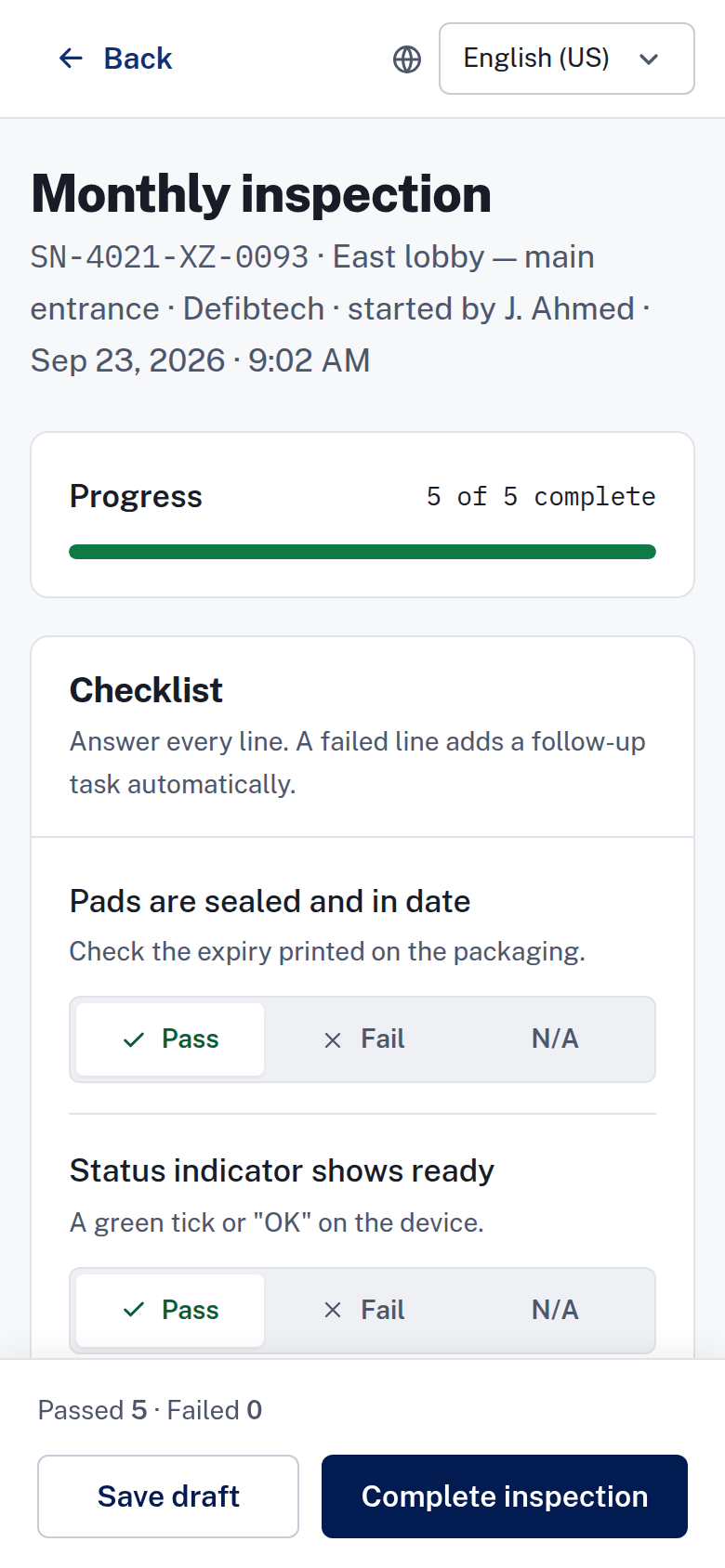
A progress bar and the passed and failed counts show the state of the inspection. An inspector can save a draft and complete it later.
A printable QR code on each device opens its record when you scan it.
The fleet list lets a manager assign an inspection to a device or to a set of devices.
One status needs a careful read. Offline is one of the four device states. It means that no report was received, so someone checks the device.
It does not mean that the inspection runs without a network. Inspections without a network are not confirmed: confirmation that inspections work without a network, and how records sync.
Replacement pads and batteries carry their own dates. Expiry & consumables tracking covers those dates.
What it replaces
The binder
The inspection record lives with the device. The inspection history shows the date, the inspector, the result, the battery reading and the note, as a timeline and as a table.
The spreadsheet
A sheet holds the device list, but the inspection result sits somewhere else. In ReadyAED the inspection joins the device in one register. See Mixed-fleet AED management.
The stand-alone tool
A separate checklist tool splits the inspection from the fleet record. ReadyAED keeps the device, the inspection and the records in one system.
The device record also holds the assigned site custodian and the last inspector. The device page carries the unit's documents, such as the manual and a service record.
A device that needs attention carries an alert. One action opens the inspection for that unit; the other orders replacement pads. See Alerts & notifications.
ReadyAED is software only. It needs no new hardware, and your team uses the phones they carry.
Consumables are fulfilled by partners. ReadyAED sells no hardware and no consumables.
For the records side, see Compliance automation. Mobile inspections are one part of the platform. The Features hub lists the rest.
The approved product facts, and the proof still in review
ReadyAED runs in the browser on Android and iOS phones, so there is no app to install and no app-store listing. Every device carries a printable QR code that opens its record. A failed checklist line creates a follow-up task, and the completed inspection joins the device history and the audit trail.
Every status in the app carries an icon and a word, so no state depends on colour alone. The four states are Ready, Due soon, Overdue and Offline.
Dates, times, numbers and currency display in the locale set for the site.
Inspection time savings and customer proof are not approved yet, so we mark the gaps instead of filling them with estimates:
- approved units under management and site counts
- approved customer time-savings figures
- customer quote and name — needs written customer approval
Frequently asked questions
Is there a mobile app to install?
No. The inspection flow runs in the browser on Android and iOS phones. There is nothing to install and no app-store listing, and the inspector opens ReadyAED in the browser on the phone they carry.
How long does one inspection take?
The checklist is five lines on one phone-first screen, and every line needs an answer. ReadyAED does not publish a measured average yet: measured average inspection time.
Does the inspection work without a network?
Offline is a device state: no report was received, so someone checks the device. It is not a way to inspect without a network. ReadyAED does not claim that inspections work without a network: confirmation that inspections work without a network, and how records sync.
Can an inspector add notes and photos?
Yes. Notes are optional, and ReadyAED keeps them in the audit log and shares them with the site team. Photos are optional too, as JPG or PNG files, from the camera or the photo library.
What happens when a checklist line fails?
The inspector completes the checklist with that line marked Fail. ReadyAED turns the failed line into a follow-up task on the device. The task can be to order replacement pads, order a battery or raise a service request. Consumables are fulfilled by partners.
What does the team need to run it?
A web browser on an Android or iOS phone. The office screens use the same account in a browser, and ReadyAED sells no hardware.
Can a team inspect devices at more than one site?
Yes. The register groups every device by site and by the location path of building, floor and room. An inspector works a route in one building and the record keeps the location.
Book a demo and run the inspection flow with us
We will open the checklist on a phone, complete an inspection and show the record that it creates on the device. Bring your questions about sites, brands and records.