Set up your AED program with ReadyAED
Three steps set up a new AED program: add your AEDs to the register, invite your site team and run the first inspection.
This page is for the people who set up an AED program: facility managers, safety managers, site custodians and compliance teams. It covers the first three steps after your organisation has an account.
Step 1: Add your AEDs to the register
The register is the base for every later step.
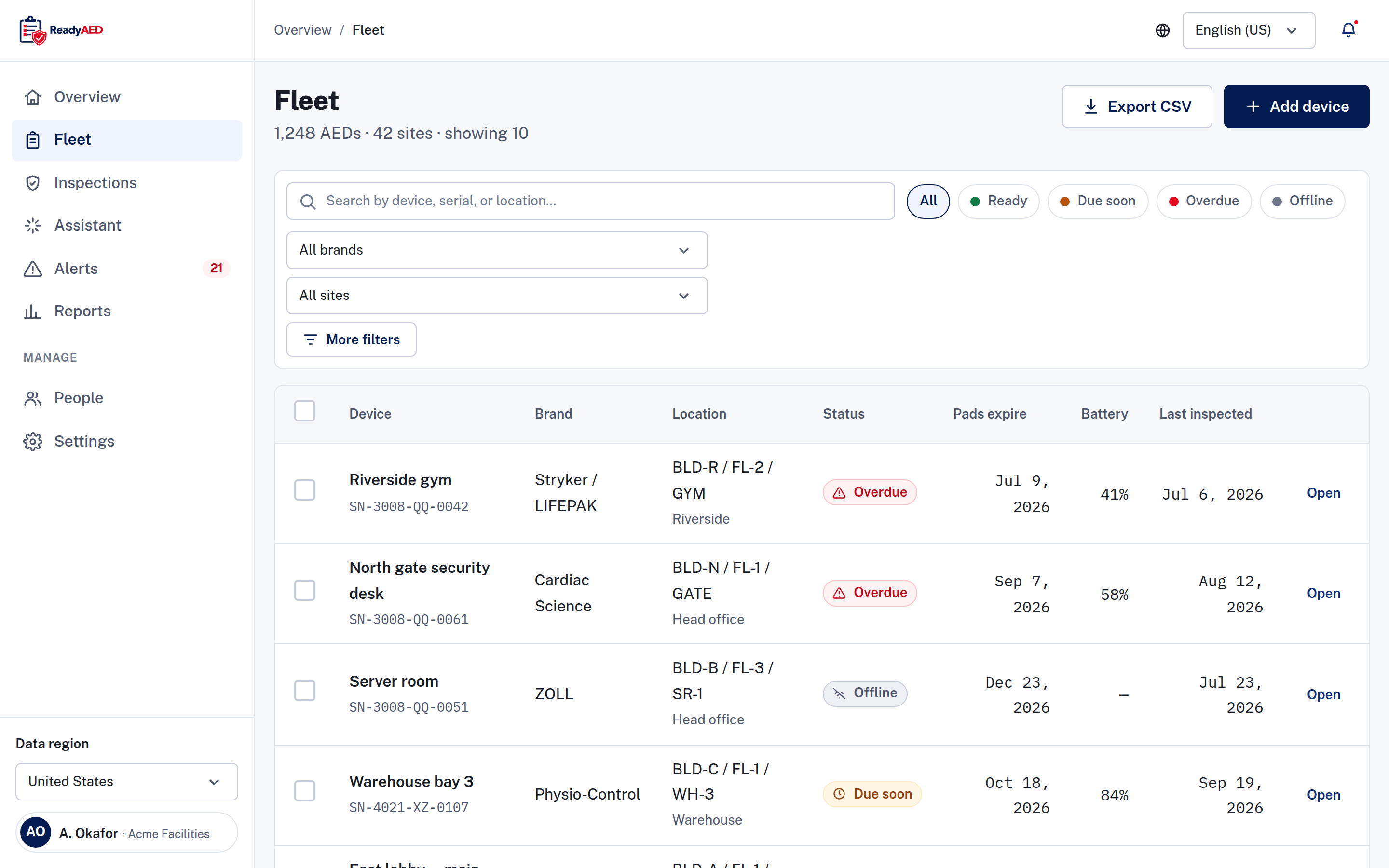
Open Fleet and add each AED. A device record holds the brand, model, serial number, asset ID, site, location path, pads expiry and battery level. A location path uses building, floor and room, so two units with the same name stay apart. Each device carries a printable QR code, and a scan opens the device record.
You add devices to the register one at a time. Bulk import or migration tooling is confirmation of bulk import or migration tooling.
Step 2: Invite your site team
The account shows who owns each device.
Site staff are invited into the account by email. The device record shows the site custodian and the last inspector, and each device is assigned to a person.
Step 3: Run the first inspection
One short phone pass leaves the record.
Open a device and run an inspection on a phone. The inspection screen works in the browser on Android and iOS phones. The flow has five checklist lines: pads sealed and in date, status indicator shows ready, battery within range, cabinet unlocked and unobstructed, and rescue kit sealed and complete. Each line is answered Pass, Fail or N/A, and every line must be answered. A failed line adds a follow-up task. Notes and photos are optional. The finished inspection lands in the device history and the audit trail.
Help and next steps
The Help center lists the support topics. No help article is published yet. For the product tour, read How it works. For the features behind each step, read the Features hub. New to ReadyAED? Start with ReadyAED sign up.